Running an online store looks simple from the outside: list a product, get an order, ship it, get paid. But any seller who has crossed a few hundred orders a month knows the reality. Stock goes missing, marketplace payouts never seem to match your sales, GST filing becomes a headache, and at the end of the quarter you still cannot say for sure whether you actually made a profit. If this sounds familiar, you have not done anything wrong; you have simply outgrown spreadsheets.
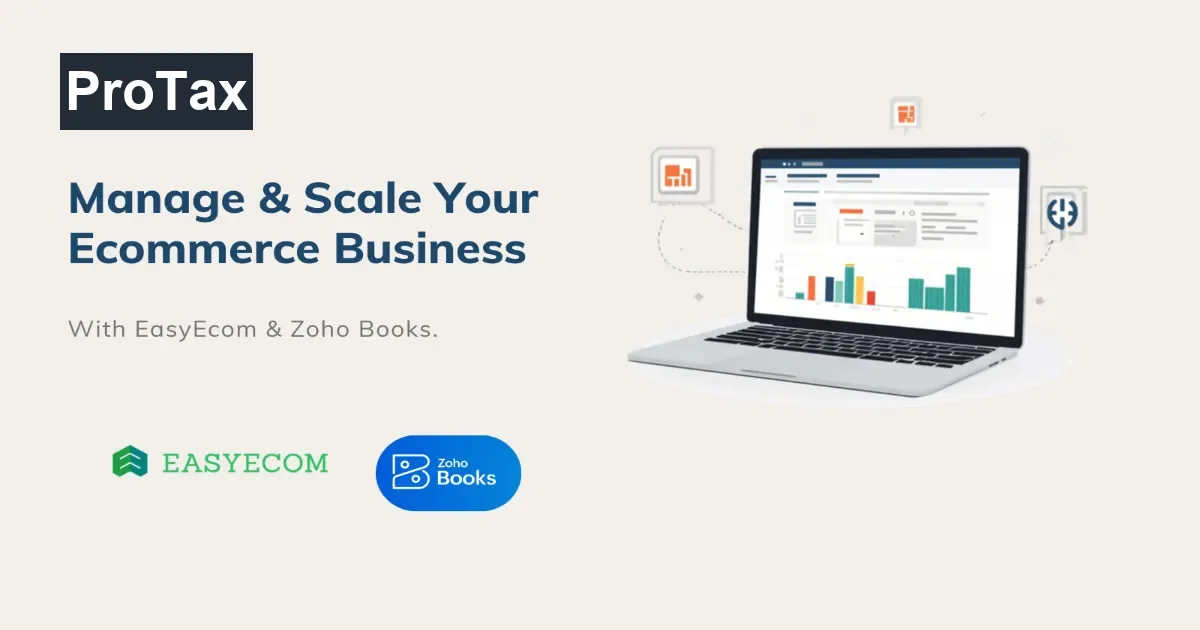
This guide walks you through, step by step, how to manage your ecommerce business, how to scale it, and which tools make the job easy. It is based on what we have seen work for real online sellers in India, using two tools that do their jobs well and talk to each other: EasyEcom for operations and Zoho Books for accounting. With the right setup, you can go from scattered spreadsheets to a clean, connected system in one to two weeks.
To manage and scale an ecommerce business in India, run your operations on an inventory and order management system (EasyEcom), run your books on GST-compliant accounting software (Zoho Books), and connect the two so every sale, purchase, and marketplace fee flows into your accounts automatically. This gives you accurate stock, correct GST, and true profit, without manual data entry.
Why Good Systems Matter for an Ecommerce Business
An ecommerce business is really five jobs happening at the same time, and they are all connected. When these jobs live in separate spreadsheets, small errors multiply: a wrong stock count leads to overselling, a missed fee leads to wrong profit, and an unmatched settlement leads to hours of month-end guesswork. Good systems connect these jobs so information flows automatically from one to the next.
- Inventory: knowing exactly how much stock you have, in every warehouse, at every moment
- Orders: pulling orders from your website, Amazon, Flipkart, and other channels into one place
- Purchasing: raising purchase orders, receiving goods, and recording the correct cost of each product
- Accounting: recording income and expenses, and keeping your books GST-ready
- Reconciliation: matching what marketplaces owe you against what actually lands in your bank
Understanding the Ecommerce Tech Stack
You do not need dozens of tools. You need two that do their jobs well and talk to each other: one for operations and one for accounting. For Indian sellers, the pairing we rely on is EasyEcom and Zoho Books.
EasyEcom: Your Operations Engine
EasyEcom handles the physical side of your business. It brings every order into one dashboard, keeps stock accurate across warehouses and channels, manages purchase orders and goods received notes, and maintains clean SKU-level records. It answers the question every seller asks daily: what do I have, and what did I sell?
Zoho Books: Your Financial Brain
Zoho Books handles the money side. It is fully GST-compliant, records invoices and bills, reconciles your bank, manages multiple GSTINs, and produces a clean profit and loss statement. It answers the question every owner cares about: did I actually make money?
Some sellers try to run everything on a single tool and end up with either weak accounting or weak inventory control. A dedicated operations tool (EasyEcom) and a dedicated accounting tool (Zoho Books), connected together, give you the best of both without compromise.
Step 1: Choose Your Sales Channels
Decide where you will sell before you build your systems. In India the main options are your own website (built on Shopify, WooCommerce, or similar) and marketplaces like Amazon, Flipkart, Meesho, and Myntra. Most sellers use a mix of channels to reach more customers.
List every channel you sell on today and every channel you plan to add in the next year, because your inventory and accounting tools must support all of them from the start. Selling on marketplaces or across state lines also makes GST registration compulsory, so confirm your GST status before you go live.
If you sell through e-commerce platforms like Amazon or Flipkart, or make inter-state sales, GST registration is mandatory regardless of turnover. Sort this out before listing your products to avoid penalties later. If you have not registered yet, our GST registration service can get you set up quickly.
Step 2: Set Up a Centralized Inventory and Order Management System
Stop tracking stock in one sheet per marketplace. Set up an inventory and order management system such as EasyEcom to act as the single source of truth for stock and orders. When a product sells on any channel, the stock count should update everywhere at once. This is the number one fix for overselling and stockouts, and it becomes essential the moment you sell on more than one platform.
What to Set Up in EasyEcom
- Warehouses: add every location where you hold stock
- Product catalogue: load each product with a unique SKU code, its barcode (EAN), and HSN code
- Sales channels: connect every marketplace and your website
- Opening stock: enter the current quantity and value of every SKU
Step 3: Set Up GST-Compliant Accounting Software
Set up Zoho Books as your accounting system. It is fully GST-compliant for India and handles invoices, bills, expenses, bank reconciliation, and GST returns in one place. In India, GST is not a year-end task; it is built into every invoice and every bill, so getting this right from day one saves enormous effort later.
What to Configure in Zoho Books
- Organisation and GSTIN: add your GSTIN, or multiple GSTINs if you sell from more than one state
- Financial year and tax settings: set your books to the correct period and GST scheme
- Chart of accounts: create a dedicated Cost of Goods Sold account and a settlement clearing account for each marketplace
- Bank accounts: add your current account for reconciliation
Step 4: Integrate EasyEcom with Zoho Books and Your Marketplaces
Connect EasyEcom to Zoho Books and to your marketplace accounts so data flows automatically. Once integrated, orders and invoices captured in EasyEcom sync into Zoho Books, and stock movements stay in step with your accounts. This removes the manual export-import cycle that causes most errors and eats the most time.
Before relying on the integration, run a few live orders through it and confirm that a sale in EasyEcom produces the correct invoice, GST entry, and stock reduction in Zoho Books. Catching a mapping error now saves hours of clean-up later.
Step 5: Clean and Map Your Product SKUs
Make sure every product has one correct, unique SKU (stock keeping unit) that matches across your inventory system, your accounting system, and your purchase bills. This is where most sellers lose accuracy, especially when supplier product names do not match your catalogue names.
Match each item on your purchase bills to its exact SKU, verify the barcode (EAN) and HSN code, and reconcile the totals to the rupee. Clean SKU data is the foundation for accurate stock, correct GST, and true profit per product later on.
Supplier invoices, warehouse records, and marketplace listings often use different names or codes for the same product. Never assume; verify each item against its barcode, cost, and quantity. A single wrong SKU mapping quietly corrupts your stock and profit reports for months.
Step 6: Configure GST, Multiple GSTINs, and Tax Rates
Set up your GST configuration correctly in Zoho Books so returns are quick and accurate instead of a monthly scramble. If you still need to register, start with our GST registration service.
- Assign GST rates and HSN codes to every item so the correct tax applies automatically
- Configure place-of-supply rules so the system picks CGST + SGST for intra-state sales and IGST for inter-state sales on its own
- Add each GSTIN as a separate branch or location if you operate in more than one state
- Map your marketplace fee accounts so input GST on those fees is captured for ITC
Step 7: Record Purchases and Product Cost at SKU Level
Enter every supplier purchase as a bill in Zoho Books, recording the correct cost against each SKU. This captures your input GST (so you can claim Input Tax Credit) and builds the cost data you need to measure profit. When purchases are booked at the SKU level and matched to what EasyEcom received, your inventory value and cost of goods sold stay accurate.
When you record a large purchase bill, match its total to the paise before saving. It is far cheaper to fix a cost error during data entry than to discover it months later in your profit reports or GST returns.
Step 8: Automate Order and Invoice Flow
Turn on automation so that orders flowing from your channels into EasyEcom create the matching invoices and accounting entries in Zoho Books without manual typing. Every hour you spend copying data between systems is an hour you are not spending on growth.
- GST-compliant invoice templates generated automatically for every order
- Automatic stock deduction when an order is dispatched
- Scheduled syncs so orders, invoices, and stock stay current across both systems
Automating this repetitive work is what lets a small team handle a large order volume, and it is the difference between a business that scales smoothly and one that drowns in data entry.
Step 9: Reconcile Marketplace Settlements
Marketplaces pay you after deducting commissions, shipping, and TCS, often days or weeks after the sale. Reconcile your Amazon and Flipkart settlements every month using a settlement clearing account.
- Each sale increases the clearing balance
- Each marketplace fee and TCS deduction reduces it (record fees as bills so their GST becomes claimable ITC)
- The final bank payout clears the balance
- Track TCS per GSTIN and state so it reconciles with your GSTR-8 and electronic cash ledger
When settlements are booked correctly, any balance left in the clearing account is real in-transit money the marketplace still owes you, not an error. This is exactly how you know how much cash is on its way.
Step 10: Set Up Profit Reporting and Ongoing Routines
Finally, use your connected data to run the business by numbers instead of gut feeling. This is where management ends and scaling begins.
- Review your profit and loss statement in Zoho Books regularly
- Check profit per SKU after cost and marketplace fees to see which products truly make money
- Monitor inventory value and settlement clearing to stay on top of cash flow
- File GST returns on time (GSTR-1 and GSTR-3B) from clean data
Build a simple monthly routine: reconcile settlements, review profit, check slow-moving stock, and file returns. This turns month-end from a stressful guess into a short review.
Manual Spreadsheets vs a Connected System
Here is what changes when you move from spreadsheets to EasyEcom and Zoho Books working together.
| Task | Manual / Spreadsheets | EasyEcom + Zoho Books |
|---|---|---|
| Stock across channels | Separate sheets, frequent overselling | One synced stock count everywhere |
| Order management | Download from each marketplace manually | All orders in a single dashboard |
| Purchase & cost tracking | Manual entry, mismatched SKUs | SKU-level bills with correct cost |
| GST on sales & fees | Calculated late, errors common | Captured automatically, return-ready |
| Input Tax Credit (ITC) on fees | Often missed or wrongly claimed | Booked as bills, flows to GSTR-3B/2B |
| Marketplace settlement | Hours of manual matching | Clearing account reconciles to the rupee |
| Profit per product | Rarely known | Visible after cost and fees |
| Time spent at month-end | Days | Hours |
How to Scale Your Ecommerce Business
Managing keeps your business healthy. Scaling makes it grow without breaking. The difference between sellers who scale smoothly and those who burn out is almost always systems, not effort.
Add Channels Without Adding Chaos
New marketplaces mean more sales, but also more places for stock and money to go wrong. Because a centralized system already syncs every channel, adding Amazon, Flipkart, Myntra, or your own website becomes a setup task, not a new full-time job.
Automate the Repetitive Work
When your operations software feeds your accounting software automatically, order data, invoices, and stock movements update your books on their own. This is what lets a small team handle a large order volume.
Make Decisions with Real Numbers
Scaling blind is expensive. With clean, connected data you can answer the questions that actually grow a business: which products are most profitable after fees, which marketplace gives you the best margin, and how much cash is tied up in stock.
Protect Your Cash Flow
Fast-growing sellers often run out of cash even while sales are rising, because money is stuck in stock and in marketplace settlements. Tracking your settlement clearing balance and your inventory value tells you where your cash is, so you can plan purchases and payouts with confidence.
Explore Zoho Books Accounting Services
Our Experience: A Real Ecommerce Migration
Recently, we helped a fast-growing Indian reseller of fragrances and luggage move from a mix of Tally and disconnected spreadsheets onto Zoho Books, powered by EasyEcom data. Their story is a good example of what clean systems make possible.
The business was selling across multiple marketplaces, holding thousands of SKUs across warehouses, and struggling with three familiar problems: they could not trust their stock, their marketplace payouts never matched their sales, and their GST input credit on marketplace fees was being missed. Here is what a proper setup changed:
- Clean SKU mapping: we matched every line on a 140-item luggage purchase bill to its exact EasyEcom SKU and reconciled the bill to the rupee, so inventory and cost data were finally accurate
- Correct GST and ITC: marketplace fees were booked as bills so the input tax credit flowed properly into their GST returns, split correctly by state and GSTIN
- Settlement clarity: Amazon and Flipkart settlements were reconciled through clearing accounts, so the leftover balance was understood as real in-transit money, not a mystery
- Real profit visibility: with accurate costs and fees in one place, they could finally see profit at the product level
The lesson from this project applies to every ecommerce business: growth is only safe when your systems are accurate. The right tools, set up correctly, turn month-end from a stressful guess into a five-minute review.
Cost of Setting Up Your Ecommerce Systems
Both EasyEcom and Zoho Books are subscription-based, so costs scale with your order volume and the features you need. Here is a realistic view of what to budget.
| Item | Type | What to Expect |
|---|---|---|
| Zoho Books subscription | Recurring | Plan scales by features and users; affordable for small sellers |
| EasyEcom subscription | Recurring | Plan scales by order volume and channels |
| One-time setup & migration | One-time | SKU mapping, GST config, opening balances, integration |
| Accounting / advisory support | Recurring (optional) | Monthly reconciliation, GST filing, review |
The subscriptions are the small cost. The real return comes from a correct one-time setup, because stock errors, wrong GST filings, and unclaimed Input Tax Credit usually cost far more than the software ever will. A clean foundation pays for itself quickly.
Common Mistakes to Avoid
- Running everything on spreadsheets for too long: spreadsheets do not sync stock across channels, so overselling and errors are inevitable as you grow
- Keeping operations and accounting disconnected: without integration, you re-type the same data twice and errors creep in every time
- Messy or duplicate SKUs: inconsistent product codes corrupt your stock and profit reports; fix them before you scale
- Booking marketplace fees as journal entries: this loses your Input Tax Credit; always record fees as bills so GST flows to your returns
- Skipping settlement reconciliation: if you never match payouts to sales, you cannot trust your profit or your cash position
- Ignoring profit per SKU: a product that sells well can still lose money once marketplace fees are counted; measure it
- Going live without testing the integration: always confirm a real order flows correctly end to end before relying on automation
Conclusion
Managing an ecommerce business is about building reliable systems for inventory, orders, purchasing, accounting, and reconciliation. Scaling it is about connecting those systems so you can grow your sales without growing your workload. For Indian sellers, the simplest path to both is a proven pairing: EasyEcom to run your operations and Zoho Books to run your accounts, working together so your data stays accurate from the first order to the final GST return.
Follow the ten steps in this guide and you will move from scattered spreadsheets to a clean, connected system that tells you exactly what you have, what you sold, and whether you made money, in a week or two of focused setup.
If you need professional guidance at any stage, our team of accounting and tax experts at ProTax helps ecommerce businesses with GST registration, e-commerce accounting services, and Zoho Books accounting services. We set up EasyEcom and Zoho Books, migrate cleanly from Tally, reconcile marketplace settlements, and file GST with confidence, so you can focus on growing your business from day one.
Frequently Asked Questions
What is the best way to manage an ecommerce business in India?
The best way to manage an ecommerce business in India is to separate your operations from your accounting and connect the two with software. Use an inventory and order management system like EasyEcom to handle stock, purchase orders, and marketplace orders, and use GST-compliant accounting software like Zoho Books to handle invoices, GST, and reconciliation. When the two systems talk to each other, every sale, purchase, and fee flows into your books automatically, so you always know your real stock and real profit without manual data entry.
Which tools do I need to run an ecommerce business?
At a minimum you need three things: a sales channel (your website or marketplaces like Amazon and Flipkart), an inventory and order management system to control stock across every channel, and GST-ready accounting software to record income, expenses, and taxes. For most Indian sellers, the combination of EasyEcom for operations and Zoho Books for accounting covers all three needs and removes the spreadsheets in between.
What is EasyEcom and how does it help ecommerce sellers?
EasyEcom is an inventory and order management platform built for online sellers. It syncs orders from every marketplace and your own website into one dashboard, tracks stock across multiple warehouses, manages purchase orders and GRNs (goods received notes), and generates the SKU-level data you need for accounting. In simple terms, EasyEcom answers the question 'what do I have and what did I sell?' across all your channels at once.
What is Zoho Books and why use it for ecommerce accounting?
Zoho Books is cloud accounting software that is fully GST-compliant for India. It handles invoices, bills, expenses, bank reconciliation, and GST returns (GSTR-1, GSTR-3B) in one place. For ecommerce sellers it is especially useful because it can record marketplace fees, split Input Tax Credit (ITC) correctly by state and GSTIN, and give you a clear profit and loss statement. Zoho Books answers the question 'did I actually make money?'
Which is the best accounting software for an ecommerce business, Tally or Zoho Books?
Based on our experience managing accounts for multiple ecommerce businesses, we recommend Zoho Books over Tally for online sellers. Zoho Books is far more user-friendly, works fully in the cloud so you can access it from anywhere, offers API access that lets it integrate directly with tools like EasyEcom and your marketplaces, and allows deep customization of invoices, workflows, and reports. Tally remains a solid desktop accounting tool, but for the high volume, multi-channel, and integration-heavy needs of an ecommerce business, Zoho Books is the more practical and scalable choice.
Can Zoho Books integrate with EasyEcom and marketplaces?
Yes. EasyEcom integrates with Zoho Books, and both connect with major marketplaces like Amazon and Flipkart. Orders, invoices, and stock movements captured in EasyEcom can flow into Zoho Books so your accounts stay updated without re-typing data. This integration is the single biggest time-saver for growing sellers, because it removes the manual export-import cycle between operations and accounting.
What is the difference between EasyEcom and Zoho Books?
The two tools do different jobs. EasyEcom manages your operations: stock across warehouses, orders from every channel, purchase orders, and dispatch. Zoho Books manages your finances: invoices, bills, GST, bank reconciliation, and profit reports. EasyEcom tells you what you have and what you sold; Zoho Books tells you whether you made money. Used together, they give you a complete, accurate picture of your ecommerce business.
How do I handle GST for marketplace sales on Amazon and Flipkart?
For marketplace sales you must account for three GST elements: the GST on your sale, the GST charged on marketplace fees (which you can claim back as ITC), and TCS (Tax Collected at Source) under Section 52, which the marketplace deducts and deposits. In Zoho Books, sales and fees are booked as invoices and bills so GST flows correctly to your returns, while TCS is tracked per GSTIN and state so it reconciles with your GSTR-8 and electronic cash ledger.
How do I reconcile marketplace settlements in my books?
Marketplaces pay you on a delay and net off their fees, so your books need a settlement clearing account. Every sale increases the balance, every fee and TCS deduction reduces it, and the final bank payout clears it to zero. When settlements are booked this way in Zoho Books, any leftover balance is real in-transit money the marketplace still owes you, not an error. Clean reconciliation like this is what tells you exactly how much cash is on the way.
How do I claim Input Tax Credit (ITC) on marketplace fees?
To claim ITC on marketplace fees, the fees must be recorded as bills or vendor credits in your accounting software, not as plain journal entries. Only then does the GST on those fees flow into your GSTR-3B and GSTR-2B and become claimable. The ITC also has to be split into CGST, SGST, or IGST based on the correct GSTIN. Getting this right can recover a meaningful amount of tax every month that many sellers accidentally leave on the table.
How do I move from Tally to Zoho Books without losing data?
Moving from Tally to Zoho Books is done through a structured migration: your masters (items, customers, vendors, chart of accounts) are cleaned and imported first, followed by opening balances and then transactions. The key is matching every item to the correct SKU and reconciling totals to the rupee before you go live. With a planned migration, you keep your history and start clean, instead of copying old errors into a new system.
How do I track profitability per product or SKU?
To see profit per SKU you need accurate cost data on every product, which comes from your purchase bills, and accurate sales and fee data, which comes from your marketplace settlements. When EasyEcom feeds SKU-level purchases and sales into Zoho Books, you can compare the selling price, the cost of goods sold, and the marketplace fees for each product. This reveals which SKUs actually make money and which quietly lose it once fees are counted.
How can I scale my ecommerce business without hiring more staff?
The key to scaling without adding headcount is automation and connected systems. When EasyEcom and Zoho Books are integrated, adding a new marketplace or handling more orders becomes a setup task rather than a new full-time job, because stock syncs and invoices are created automatically. Every hour you save on manual data entry is an hour you can spend on marketing, sourcing, and growth.
How much does it cost to set up EasyEcom and Zoho Books?
Both EasyEcom and Zoho Books are subscription-based, with plans that scale by order volume and features, making them affordable for small sellers and powerful enough for large ones. The bigger cost to plan for is the one-time setup and migration, done correctly, so your stock, GST, and opening balances are accurate from day one. Compared to the cost of stock errors, wrong GST filings, and unclaimed ITC, a proper setup usually pays for itself quickly.
How often should I reconcile my ecommerce accounts?
You should reconcile your bank account and marketplace settlements at least once a month, ideally aligned with your GST filing cycle. High-volume sellers benefit from reconciling weekly so problems are caught early. Regular reconciliation keeps your profit numbers trustworthy, ensures your GST returns are accurate, and shows you exactly how much money is still on its way from the marketplaces.
Do I still need an accountant if I use Zoho Books?
Software like Zoho Books removes the manual data entry, but you still benefit from an accountant or advisory partner to set up your chart of accounts, configure GST and multi-GSTIN correctly, reconcile marketplace settlements, and review your returns. The best results come from combining good software with expert oversight, so the numbers are not just recorded, but recorded correctly.
Frequently Asked Questions
What is the best way to manage an ecommerce business in India?
The best way to manage an ecommerce business in India is to separate your operations from your accounting and connect the two with software. Use an inventory and order management system like EasyEcom to handle stock, purchase orders, and marketplace orders, and use GST-compliant accounting software like Zoho Books to handle invoices, GST, and reconciliation. When the two systems talk to each other, every sale, purchase, and fee flows into your books automatically, so you always know your real stock and real profit without manual data entry.
Which tools do I need to run an ecommerce business?
At a minimum you need three things: a sales channel (your website or marketplaces like Amazon and Flipkart), an inventory and order management system to control stock across every channel, and GST-ready accounting software to record income, expenses, and taxes. For most Indian sellers, the combination of EasyEcom for operations and Zoho Books for accounting covers all three needs and removes the spreadsheets in between.
What is EasyEcom and how does it help ecommerce sellers?
EasyEcom is an inventory and order management platform built for online sellers. It syncs orders from every marketplace and your own website into one dashboard, tracks stock across multiple warehouses, manages purchase orders and GRNs (goods received notes), and generates the SKU-level data you need for accounting. In simple terms, EasyEcom answers the question 'what do I have and what did I sell?' across all your channels at once.
What is Zoho Books and why use it for ecommerce accounting?
Zoho Books is cloud accounting software that is fully GST-compliant for India. It handles invoices, bills, expenses, bank reconciliation, and GST returns (GSTR-1, GSTR-3B) in one place. For ecommerce sellers it is especially useful because it can record marketplace fees, split Input Tax Credit (ITC) correctly by state and GSTIN, and give you a clear profit and loss statement. Zoho Books answers the question 'did I actually make money?'
Which is the best accounting software for an ecommerce business, Tally or Zoho Books?
Based on our experience managing accounts for multiple ecommerce businesses, we recommend Zoho Books over Tally for online sellers. Zoho Books is far more user-friendly, works fully in the cloud so you can access it from anywhere, offers API access that lets it integrate directly with tools like EasyEcom and your marketplaces, and allows deep customization of invoices, workflows, and reports. Tally remains a solid desktop accounting tool, but for the high volume, multi-channel, and integration-heavy needs of an ecommerce business, Zoho Books is the more practical and scalable choice.
Can Zoho Books integrate with EasyEcom and marketplaces?
Yes. EasyEcom integrates with Zoho Books, and both connect with major marketplaces like Amazon and Flipkart. Orders, invoices, and stock movements captured in EasyEcom can flow into Zoho Books so your accounts stay updated without re-typing data. This integration is the single biggest time-saver for growing sellers, because it removes the manual export-import cycle between operations and accounting.
What is the difference between EasyEcom and Zoho Books?
The two tools do different jobs. EasyEcom manages your operations: stock across warehouses, orders from every channel, purchase orders, and dispatch. Zoho Books manages your finances: invoices, bills, GST, bank reconciliation, and profit reports. EasyEcom tells you what you have and what you sold; Zoho Books tells you whether you made money. Used together, they give you a complete, accurate picture of your ecommerce business.
How do I handle GST for marketplace sales on Amazon and Flipkart?
For marketplace sales you must account for three GST elements: the GST on your sale, the GST charged on marketplace fees (which you can claim back as ITC), and TCS (Tax Collected at Source) under Section 52, which the marketplace deducts and deposits. In Zoho Books, sales and fees are booked as invoices and bills so GST flows correctly to your returns, while TCS is tracked per GSTIN and state so it reconciles with your GSTR-8 and electronic cash ledger.
How do I reconcile marketplace settlements in my books?
Marketplaces pay you on a delay and net off their fees, so your books need a settlement clearing account. Every sale increases the balance, every fee and TCS deduction reduces it, and the final bank payout clears it to zero. When settlements are booked this way in Zoho Books, any leftover balance is real in-transit money the marketplace still owes you, not an error. Clean reconciliation like this is what tells you exactly how much cash is on the way.
How do I claim Input Tax Credit (ITC) on marketplace fees?
To claim ITC on marketplace fees, the fees must be recorded as bills or vendor credits in your accounting software, not as plain journal entries. Only then does the GST on those fees flow into your GSTR-3B and GSTR-2B and become claimable. The ITC also has to be split into CGST, SGST, or IGST based on the correct GSTIN. Getting this right can recover a meaningful amount of tax every month that many sellers accidentally leave on the table.
How do I move from Tally to Zoho Books without losing data?
Moving from Tally to Zoho Books is done through a structured migration: your masters (items, customers, vendors, chart of accounts) are cleaned and imported first, followed by opening balances and then transactions. The key is matching every item to the correct SKU and reconciling totals to the rupee before you go live. With a planned migration, you keep your history and start clean, instead of copying old errors into a new system.
How do I track profitability per product or SKU?
To see profit per SKU you need accurate cost data on every product, which comes from your purchase bills, and accurate sales and fee data, which comes from your marketplace settlements. When EasyEcom feeds SKU-level purchases and sales into Zoho Books, you can compare the selling price, the cost of goods sold, and the marketplace fees for each product. This reveals which SKUs actually make money and which quietly lose it once fees are counted.
How can I scale my ecommerce business without hiring more staff?
The key to scaling without adding headcount is automation and connected systems. When EasyEcom and Zoho Books are integrated, adding a new marketplace or handling more orders becomes a setup task rather than a new full-time job, because stock syncs and invoices are created automatically. Every hour you save on manual data entry is an hour you can spend on marketing, sourcing, and growth.
How much does it cost to set up EasyEcom and Zoho Books?
Both EasyEcom and Zoho Books are subscription-based, with plans that scale by order volume and features, making them affordable for small sellers and powerful enough for large ones. The bigger cost to plan for is the one-time setup and migration, done correctly, so your stock, GST, and opening balances are accurate from day one. Compared to the cost of stock errors, wrong GST filings, and unclaimed ITC, a proper setup usually pays for itself quickly.
How often should I reconcile my ecommerce accounts?
You should reconcile your bank account and marketplace settlements at least once a month, ideally aligned with your GST filing cycle. High-volume sellers benefit from reconciling weekly so problems are caught early. Regular reconciliation keeps your profit numbers trustworthy, ensures your GST returns are accurate, and shows you exactly how much money is still on its way from the marketplaces.
Do I still need an accountant if I use Zoho Books?
Software like Zoho Books removes the manual data entry, but you still benefit from an accountant or advisory partner to set up your chart of accounts, configure GST and multi-GSTIN correctly, reconcile marketplace settlements, and review your returns. The best results come from combining good software with expert oversight, so the numbers are not just recorded, but recorded correctly.